Template for WebCharts
Project plan template
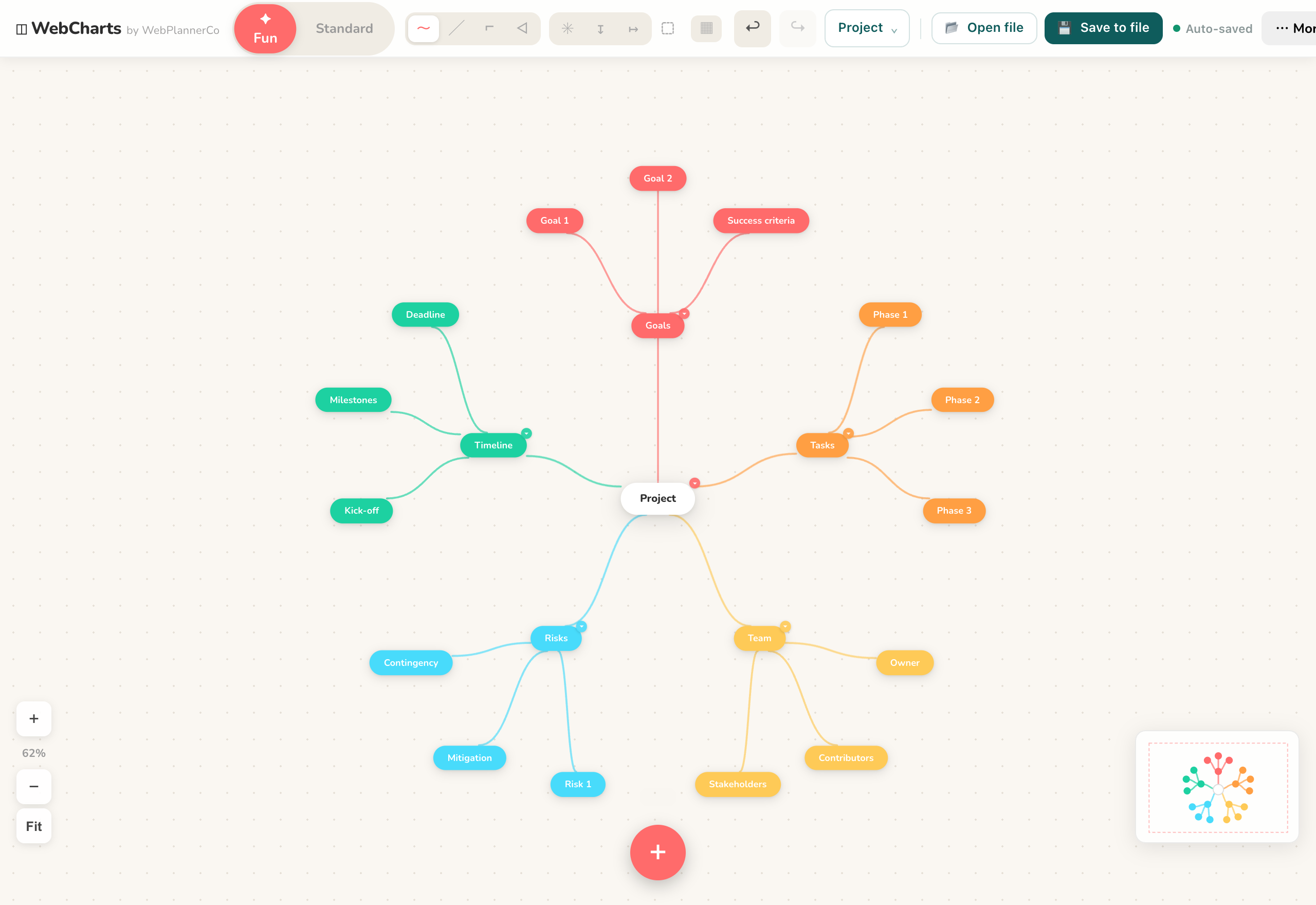
A project plan template breaks a project into the parts that matter, goals, tasks, timeline, team and risks, as branches you fill in. Start from the outcome and work outward.
What it is
A map with the project goal at the centre and a branch for each part of delivering it, so you see the whole thing at a glance rather than as a flat list.
When to use it
- Kicking off a project that feels big and unstructured
- Turning a vague brief into themes, tasks and owners
- Sharing an overview the whole team can read at a glance
How to fill it in
- 1Put the project outcome at the centre.
- 2Branch into the main workstreams, whatever they are for your project.
- 3Break each into tasks, and note owners and rough timing.
- 4Add a branch for risks, then export or share the map.
Make one
Project plan template in WebCharts
WebCharts comes with this ready to fill in, plus everything else you need to plan. Works in your browser or offline, with nothing to install.
Common questions
Is a mind map good for project planning?
Yes, for the planning stage. It shows how the pieces relate before you flatten them into a task list, and it is quick to rearrange as the plan takes shape.
What should a project plan include?
At minimum: the goal, the main workstreams, the tasks under each, who owns them, rough timing, and the risks worth watching.