Work & Freelance
WebCharts
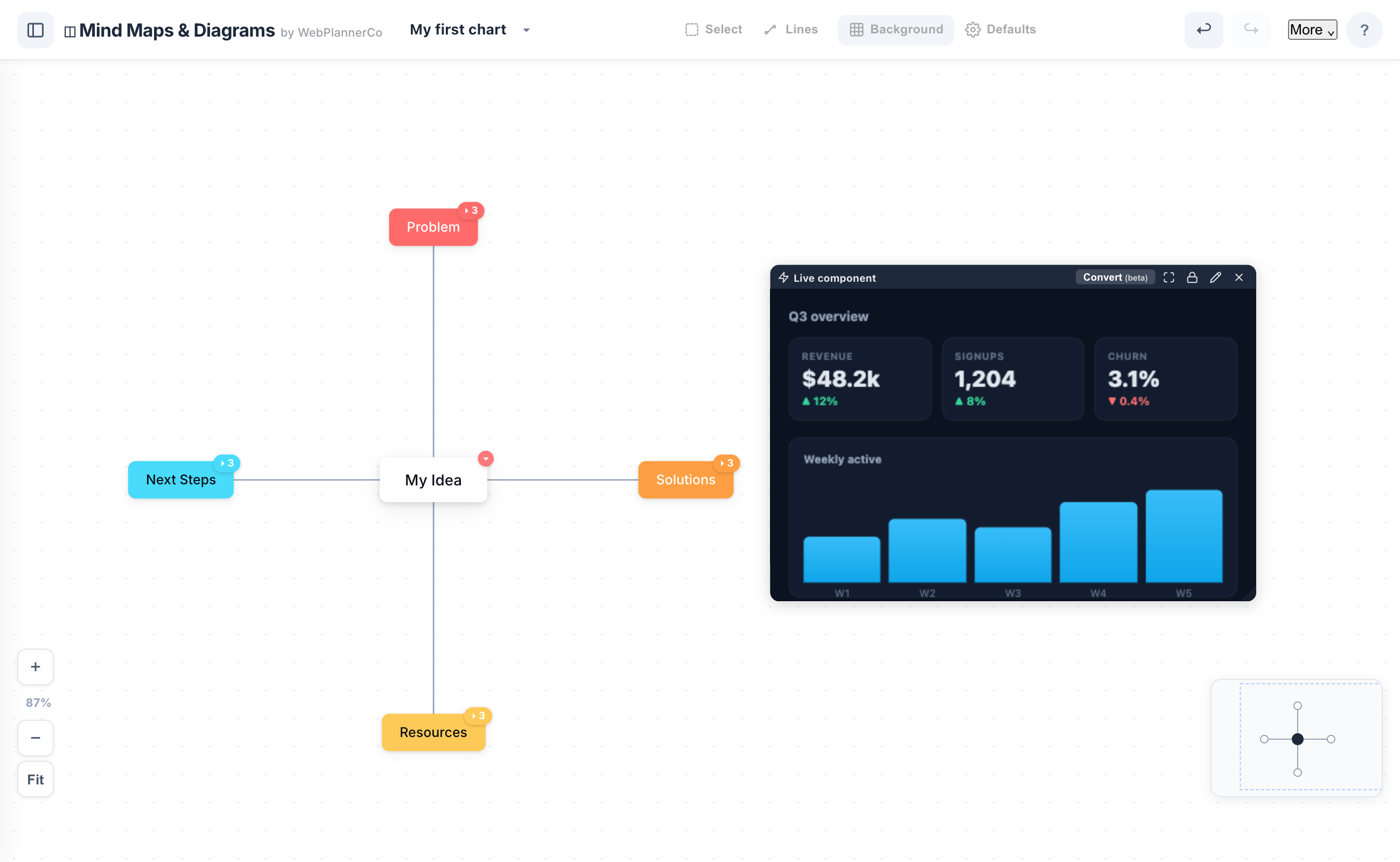
A visual canvas for your ideas and your AI work: build mind maps, flowcharts, org charts and diagrams in your browser, and load the live HTML artefacts Claude and ChatGPT build onto the same board to review, mark up and organise. Present it full-screen, or record a walkthrough of your screen with an optional webcam bubble and save it as a video to share. Yours to keep for a one-off price, works fully offline, with optional cloud sync across your devices.
What's included
- Build mind maps, flowcharts, org charts, decision trees and diagrams
- Paste live HTML from Claude or ChatGPT, it runs right on the board, no website to deploy
- Review and mark it up with pen, highlighter, arrows and sticky notes
- Turn a pasted component into editable shapes, or start from a 'Made with AI' example
- Record a walkthrough of your board with your screen and an optional webcam, then save it as a video to share
- Present full-screen, and export any board as an image for docs, slides or email
- Works fully offline, one-off purchase, yours to keep, with optional cloud sync
Download
One-off · yours to keep
- Yours to keep forever for a one-off payment
- Runs on your own computer, fully offline
- Just open the file in your browser, ready to use
- Your data stays private on your device
Cloud (online) access
Use it in your browser · cancel anytime
Everything online, across your devices:
- Cloud save, your plans on every device, automatically
- Pick up where you left off on phone, tablet or laptop
- Share a read-only link with your partner, broker or adviser
- Always the latest version, with new features as they ship
Buying direct is the best price. Coming to Etsy soon.
You might also like
Wedding & Events
Wedding Planner
Keep the whole day in one place: budget, guest list, seating chart, vendors, timeline and day-of run sheet, with printable PDFs throughout and tips from real weddings as you go. Yours to keep for a one-off price, works fully offline, with optional cloud sync across your devices.
A$59.95
Money & Finance
Mortgage Planner
Understand what your mortgage really costs, in plain English. See your payoff date, the lifetime cost, an offset and extra repayments, plus what-if scenarios (a rate rise, a lump sum, going fortnightly) that update instantly. Works for a new purchase or an existing loan; yours to keep for a one-off price, fully offline, with optional cloud sync across your devices.
A$14.95