Working with AI · 5 min read
Claude and ChatGPT: a canvas to bring your artefacts together
Claude and ChatGPT are genuinely good at building a small thing for you, a landing-page mock-up, a little dashboard, a pricing table, and handing you the HTML. What they can't do is give you anywhere to actually use it. It sits in the chat, one artefact per thread, and that is where most of them quietly die. This is the honest workflow we use to get them out of the chat and into something you can think with.

First, the honest bit: we don't generate it
Let's be straight about what our tool does and doesn't do. We don't generate components; the models already do that, and better than any wrapper we could bolt on. What we are is the canvas their output lands on, a place to review it, mark it up, map it out and present it.
So this whole post assumes you've already asked Claude or ChatGPT for something and got some HTML back. The interesting question is what happens next, because that is the part the chat window can't help you with.
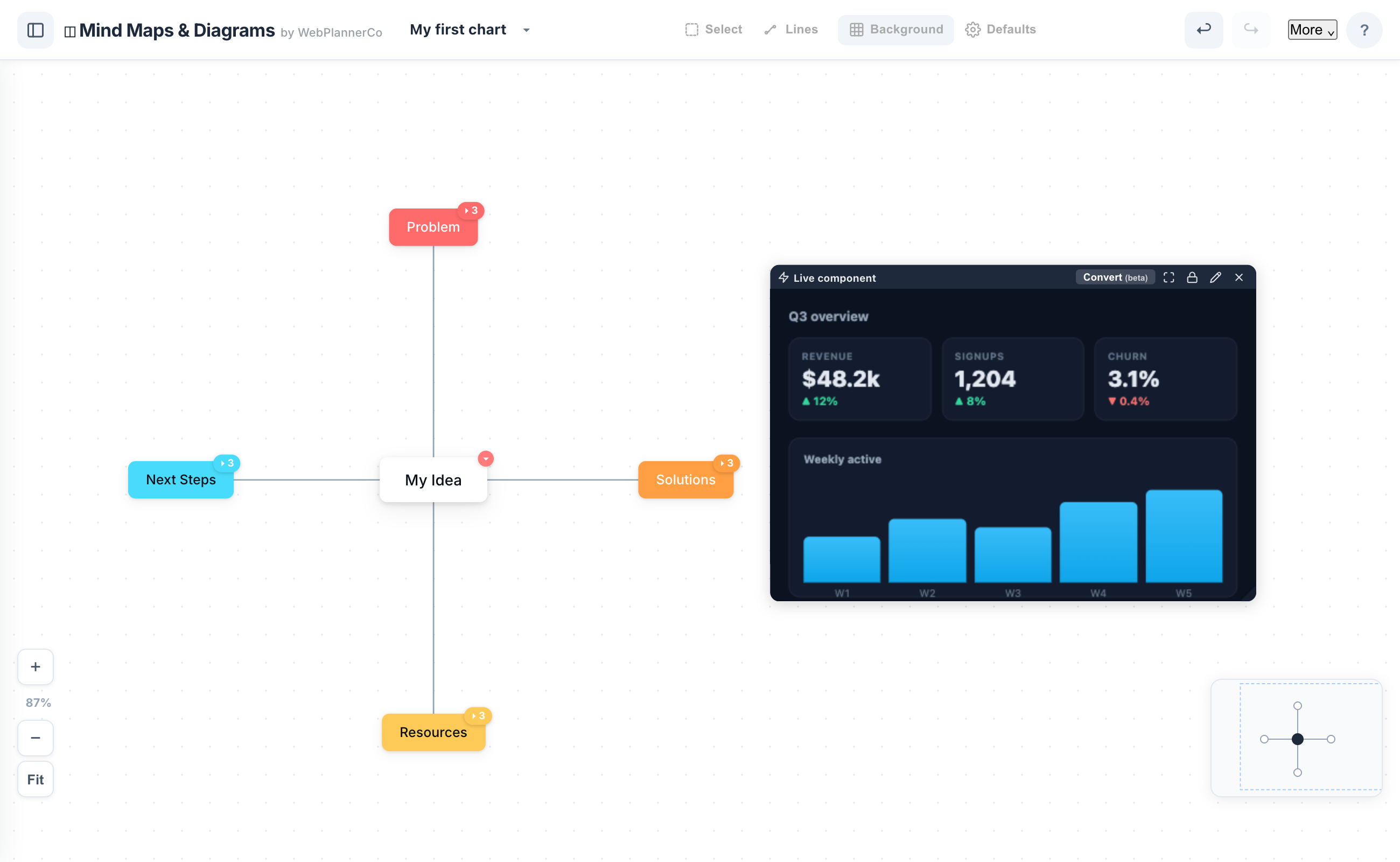
Paste it straight onto the board
Copy the HTML the model gives you, click onto an empty canvas, and paste (Cmd/Ctrl+V). It drops in as a live component and runs right there, sandboxed: no hosting, no deploy step, no build. A slideshow clicks through, a dashboard's numbers show, a form takes input.
If you'd rather not hunt for the paste, there's an Embed HTML button too. And there are a few 'Made with AI' example boards that show a real component next to the exact prompt that made it, so you can watch the whole loop end to end before doing your own.
Then actually work through it
This is the part the chat can't do. Draw and highlight over the component, drop sticky notes on the bits that need changing, add arrows and callouts. Lay it next to a mind map of your own thinking, so the AI's answer and your questions sit on the same board instead of in two different windows.
And if you want to pull the piece apart rather than just annotate it, you can convert an embedded component into editable shapes and rework it by hand, or rebuild it as your own diagram alongside.
Present it without standing up a website
When it's ready to show someone, full-screen present mode steps through the board with the live components still working, so a mock-up or dashboard demos without you deploying anything first. Or export the whole board as an image to drop into a doc, a deck or an email.
The one real catch: it has to be self-contained
There is one honest constraint. For a component to run on the board it has to be a single self-contained HTML file, all the CSS and JavaScript inline, no external stylesheets, fonts or network calls, because it runs sandboxed. Most AI output already is.
If a piece doesn't render, it's almost always because it reaches out to something external. Asking the model for 'a single self-contained HTML file, everything inline, no external resources' usually fixes it in one line. It's the same constraint that keeps the whole thing private and working offline.
The app that helps
Mind Maps & Diagrams
Map your ideas and bring your AI work onto one canvas - mind maps, diagrams, and live HTML from Claude or ChatGPT, right in your browser.
- Paste HTML from Claude or ChatGPT straight onto the board, it runs live, no website to deploy
- Mark it up with pen, highlighter, arrows and sticky notes, and map your own thinking alongside
- Present full-screen with the live component, or export the board as an image
One canvas for every kind of chart, and you own it: it works offline, needs no account, and it is a one-off price, not a subscription.
Common questions
Does the tool generate the components for me?
No, Claude and ChatGPT generate them. We're the canvas you bring the output to: paste it in, review it, mark it up, map it out and present it. We'd rather do that one job well than compete with the models on generation.
Do I need to host or deploy anything?
No. A pasted component runs sandboxed on the board itself, so you can preview and present a mock-up or dashboard without standing up a website.
What kind of HTML works?
A single self-contained file, all CSS and JavaScript inline, with no external CDNs, fonts or network calls. Most AI output already fits; if not, ask for 'one self-contained HTML file with everything inline'.
A quick note
This is simply how we like to work, shared in case it helps. Take what's useful and leave the rest.