Productivity · 4 min read
What is a mind map?
You have a topic that feels tangled: a project with too many moving parts, an essay you cannot start, a decision with reasons pulling in every direction. A plain list flattens all of that into one column and hides how the pieces connect. A mind map lays it out visually instead. This post explains what a mind map is, why it helps, and when to reach for one.
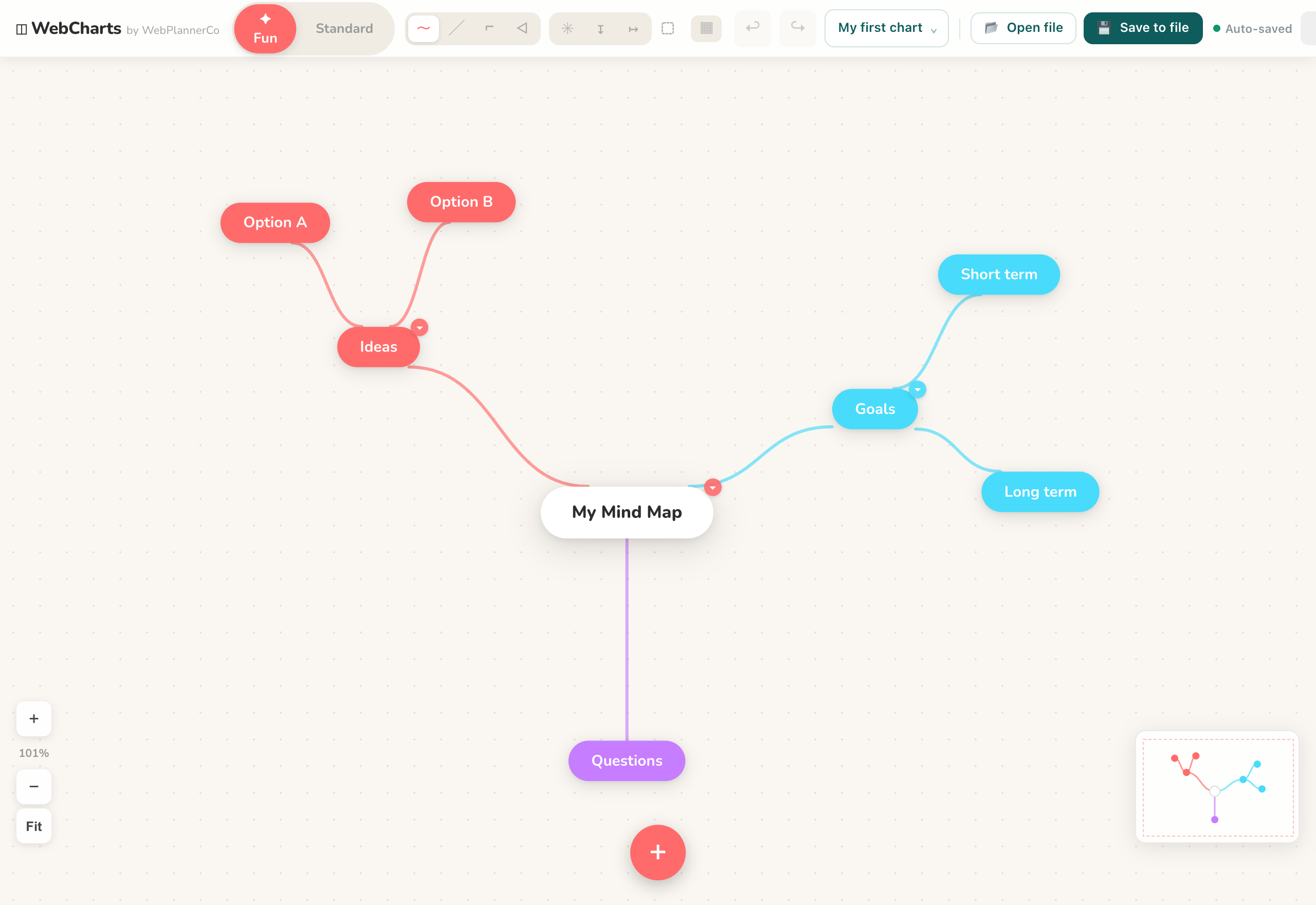
What a mind map actually is
A mind map puts one central idea in the middle of the page and branches out from it. Each branch is a related idea, and each of those can split into smaller branches of its own. So a mind map about a holiday might have the trip in the centre, with branches for budget, dates, places and packing, and each of those breaking down further.
The shape is the point. Instead of a top-to-bottom list, you get a picture where the main idea sits at the core and everything connected to it radiates outward, close by or further off depending on how it relates.
Why it works
A mind map mirrors how you actually think. Ideas do not arrive in a neat order; one thought triggers three more, and those branch again. Because the map lets you add a branch wherever a thought lands, you can capture the mess first and organise it after, rather than forcing everything into a line before you understand it.
Seeing it laid out also does some of the work for you. Gaps become obvious, related points end up near each other, and a topic that felt overwhelming in your head turns into something you can look at and move around.
When to reach for one
Mind maps suit any moment where you are exploring or untangling rather than following a fixed process. Common ones are brainstorming when you need to get every idea out, taking notes on something with a lot of connected parts, planning a project, or studying a subject and mapping how the topics relate.
If your thinking has a strict order instead, a different shape may fit better. A step-by-step process is a flowchart, and a top-down hierarchy like a team structure is an org chart. Use a mind map when the ideas branch out from one centre.
Making your first one
Start with the central idea and write it in the middle. Add a branch for each major theme, then keep splitting those into smaller ones as the details come to you. Do not aim for tidy on the first pass; get the ideas down, then rearrange.
In our Mind Maps and Diagrams app you can begin from the Brainstorm template so the centre is already set up for you. Double-click the canvas to add an idea, drag from the edge of a shape to connect the next one, and colour-code branches to keep themes apart. When it is done you can export the whole map as an image.
The app that helps
Mind Maps & Diagrams
Everything you need to map out your ideas, diagrams, flowcharts, org charts and mind maps, in your browser.
- Start from the Brainstorm template so your central idea is ready and you can go straight to adding branches.
- Double-click the canvas to add an idea and drag from a shape's edge to connect the next, so the map grows as fast as you think.
- Colour-code branches and nodes to keep separate themes apart, then export the finished map as an image.
Common questions
What is the difference between a mind map and a flowchart?
A mind map has one central idea with branches radiating out, and it suits exploring or organising thoughts. A flowchart shows a process: steps and decisions connected in order. Reach for a mind map when ideas branch from a centre, and a flowchart when there is a fixed sequence.
Do I need an account or the internet to make one?
No. Our Mind Maps and Diagrams app works offline with no account or login, and your data stays on your device or in your file. You can open the HTML file or use it online, with nothing to install.
A quick note
This is simply how we like to work, shared in case it helps. Take what's useful and leave the rest.