Weddings · 4 min read
How do you manage your wedding guest list and RSVPs?
The guest list is where a lot of wedding planning either holds together or falls apart. It starts as a messy draft, then replies trickle in over weeks, and somewhere in the middle you lose track of who is coming, who needs a vegetarian meal, and what your real headcount is. This post walks through building the list, sorting it into groups, tracking RSVPs as they land, and capturing dietary needs. It also shows why keeping the count current matters more than it looks, because that one number feeds your catering, budget and seating.
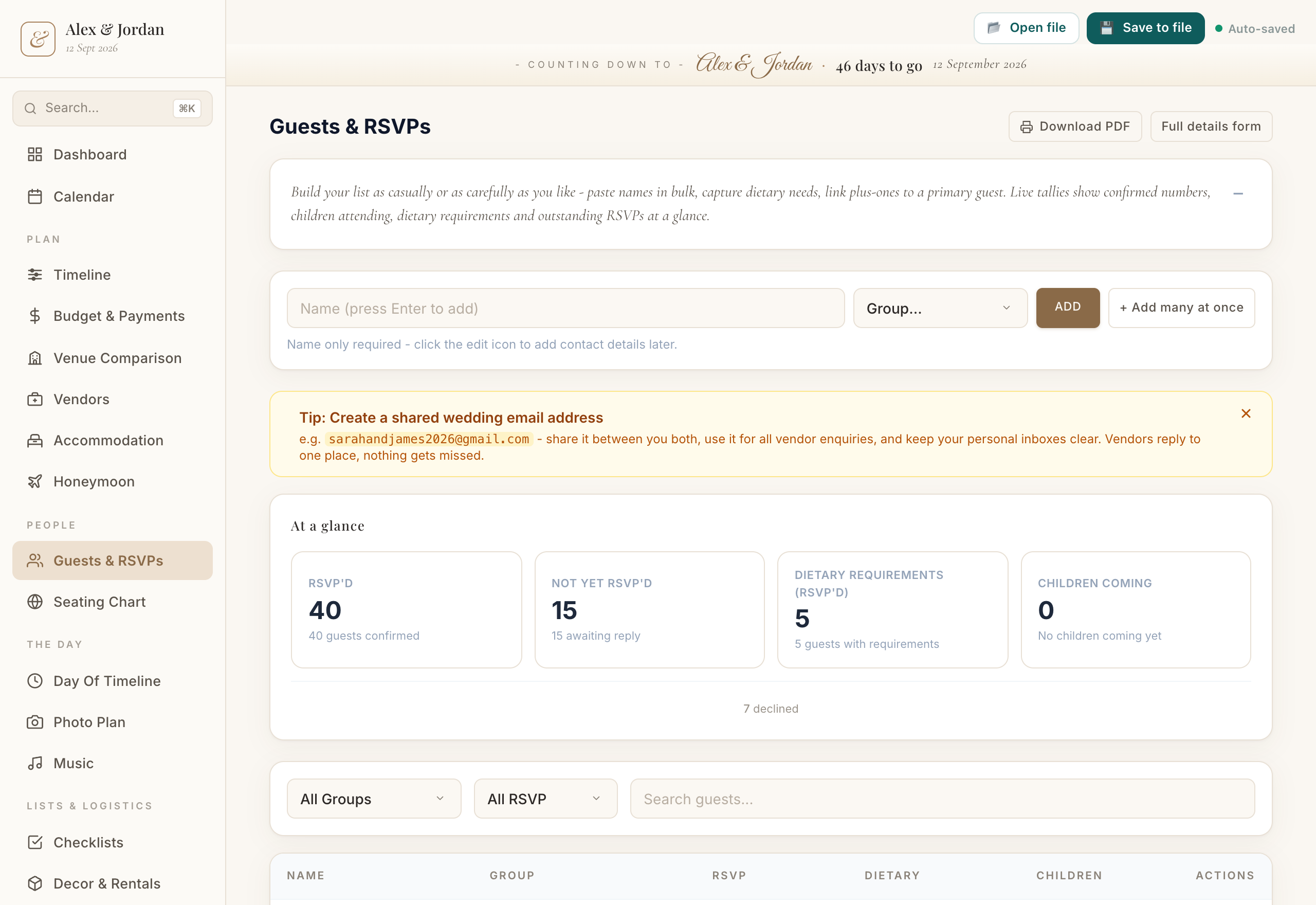
Draft the list before you polish it
Start by getting every possible name down, not the final invite list. Add each person as they come to mind and do not stop to decide yet. Trying to draft and edit at the same time is what makes the list stall.
In the Wedding Planner you can quick-add guests one after another, so the first pass stays fast. Once the names are all in one place, it is far easier to see the true size of your wedding and start making cuts against your budget rather than guessing.
Sort guests into groups
Groups turn a long, flat list into something you can actually work with. Common ones are your family, your partner's family, friends, work, and plus-ones. Assign each guest to a group so you can see the balance between the two sides and spot where the numbers are creeping up.
The app lets you assign guests to groups, which also helps later when you are arranging tables. People who sit together on the list tend to sit together on the day, so the grouping you do now saves work at the seating stage.
Track RSVPs and dietary needs as replies come in
Replies do not arrive all at once, so treat the list as a live document. As each response lands, update that guest's RSVP status to invited, accepted or declined, and add a dietary note if they have one: vegetarian, coeliac, a nut allergy, a child's meal. Do this the day you hear back, not in a batch later, or the details slip.
In the Wedding Planner you track RSVP status per guest and record dietary notes in the same place. When you need to give your caterer numbers, you have an accurate accepted count and a clear list of who needs what, rather than a half-remembered tally.
Keep the headcount live, because everything hangs off it
Your accepted headcount is the number that drives the rest of the plan. Venue and catering are usually the biggest costs and both scale directly with how many people come, so every acceptance or decline moves your budget. The count also decides how many tables and seats you need to lay out.
Because the guest list, budget and seating all sit in the one app, an up-to-date headcount flows through to your catering estimate and your room layout. Keep the list current and those downstream numbers stay honest, which means fewer surprises in the final weeks.
The app that helps
Wedding Planner
Everything you need to plan your wedding, in one place.
- Quick-add guests and assign them to groups like family, friends and plus-ones
- Track each guest's RSVP status and record dietary notes in one place
- Feeds your accepted headcount straight into your catering estimate, budget and seating layout
Common questions
When should I ask guests to RSVP by?
Set your RSVP date about three to four weeks before the wedding, so you have time to chase stragglers and still give your caterer final numbers. Track each reply against the deadline and follow up with anyone who has not answered.
How do I handle plus-ones and children in the count?
Add them as their own guest entries rather than lumping them under one name, and put them in a group so they are easy to see. That way each person is counted individually for catering and seating, and children who need a different meal show up in your dietary notes.
A quick note
This is based on our own wedding and what worked for us, shared as general information rather than professional advice. Costs and customs vary a lot by location and vendor, so treat any numbers as a starting point and get your own quotes.