Working with AI · 4 min read
How do you turn an AI answer into a mind map?
A really thorough answer from Claude or ChatGPT can be its own problem: three screens of confident prose that's hard to hold in your head. When we want to actually work through one, decide what we agree with, spot what's missing, we turn it into a mind map. Here are the two ways we do it, and when each is worth the effort.

Two ways in: paste, or re-create
There are two honest options. The fast one: paste the answer in and break it into nodes as you go, one point per box. The more deliberate one: re-create it yourself, typing each point in your own words as you add the node.
Pasting is quicker and keeps the AI's structure. Re-typing is slower, but you understand it far better at the end because you had to restate every point. For anything we actually need to reason about, we re-create; for a quick overview, we paste.
One idea per node, then rearrange
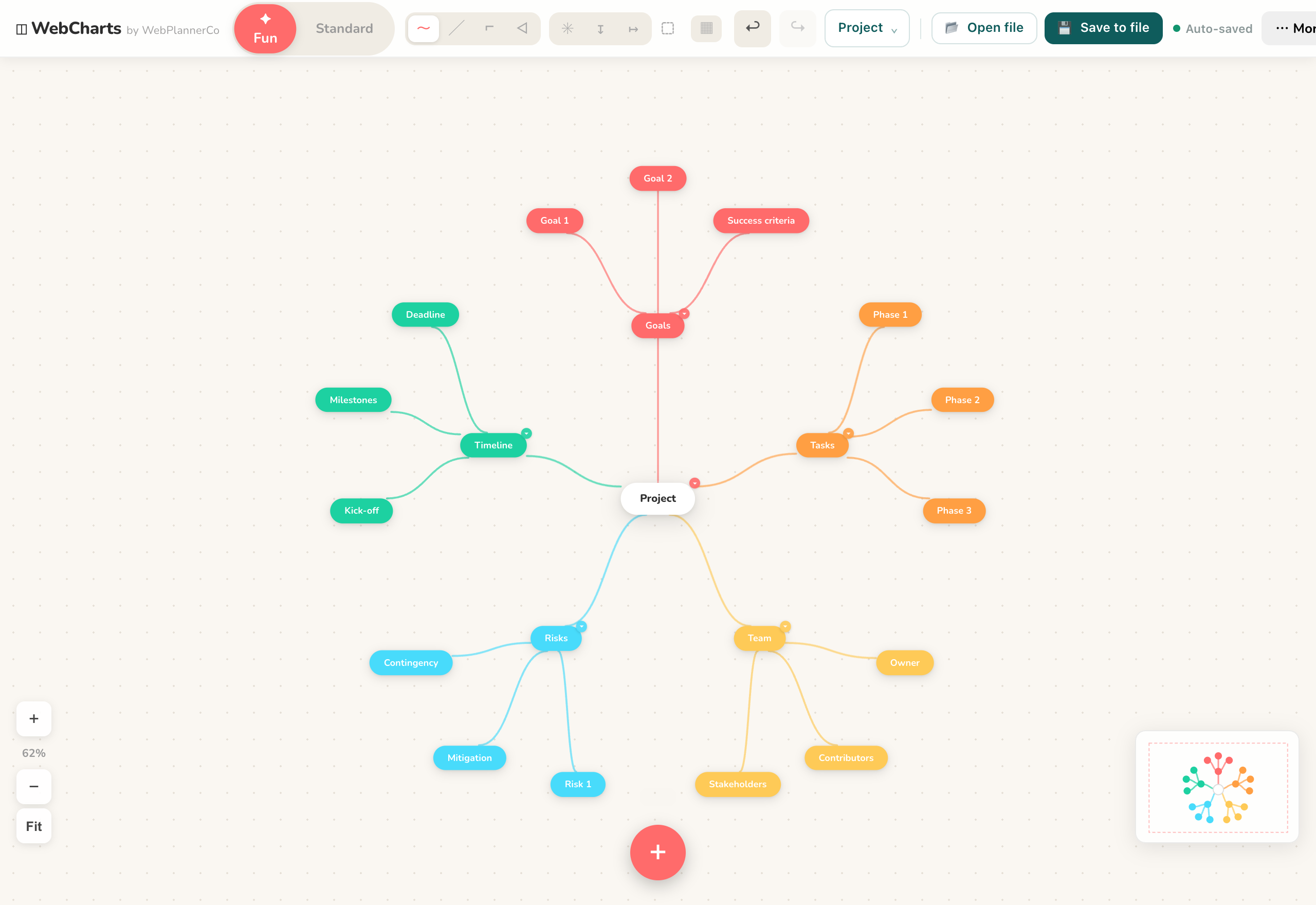
Whichever way you start, the rule is the same as any mind map: one idea per node, short phrases, not sentences. The value comes right after, when you drag the branches around, grouping what belongs together and pulling apart what doesn't.
That rearranging is the thinking. A wall of text won't let you do it; a map that reflows as you move things will.
Mark what you don't buy
This is where it stops being the AI's answer and starts being yours. Highlight the points you agree with, put a note on the ones you don't, and draw a line to the gap where something's clearly missing.
An AI answer reads as confident and finished whether or not it is. Marking it up is how you make yourself actually check it, rather than nodding along to a tidy paragraph.
Keep the original next to it
If you pasted the raw answer in as a text note or a live block, leave it on the board beside your map. It's useful to see the AI's version and your reworked one side by side, and if you present the board later, where each part came from is right there.
The app that helps
Mind Maps & Diagrams
Map your ideas and bring your AI work onto one canvas - mind maps, diagrams, and live HTML from Claude or ChatGPT, right in your browser.
- Paste an AI answer in, or build it out node by node in your own words
- Rearrange branches to group and compare, and highlight or note what you don't buy
- Keep the original answer on the board beside your map, then present or export it
One canvas for every kind of chart, and you own it: it works offline, needs no account, and it is a one-off price, not a subscription.
Common questions
Should I paste the answer or retype it?
Paste for a quick overview; retype in your own words for anything you need to genuinely understand, restating each point is what makes it stick.
Can I keep the AI's original answer on the board?
Yes. Paste it in as a text note or a live block and leave it next to your map, so you can compare the AI's version with your reworked one.
A quick note
This is simply how we like to work, shared in case it helps. Take what's useful and leave the rest.