Productivity · 4 min read
Mind map vs flowchart vs org chart: which do you need?
You want a diagram, but you are not sure which kind. Mind map, flowchart and org chart all use boxes and lines, so it is easy to reach for the wrong one and end up fighting the shape. This post defines each in plain terms, tells you when to use it, and shows that all three are the same family doing different jobs. By the end you will know which to open for the task in front of you.
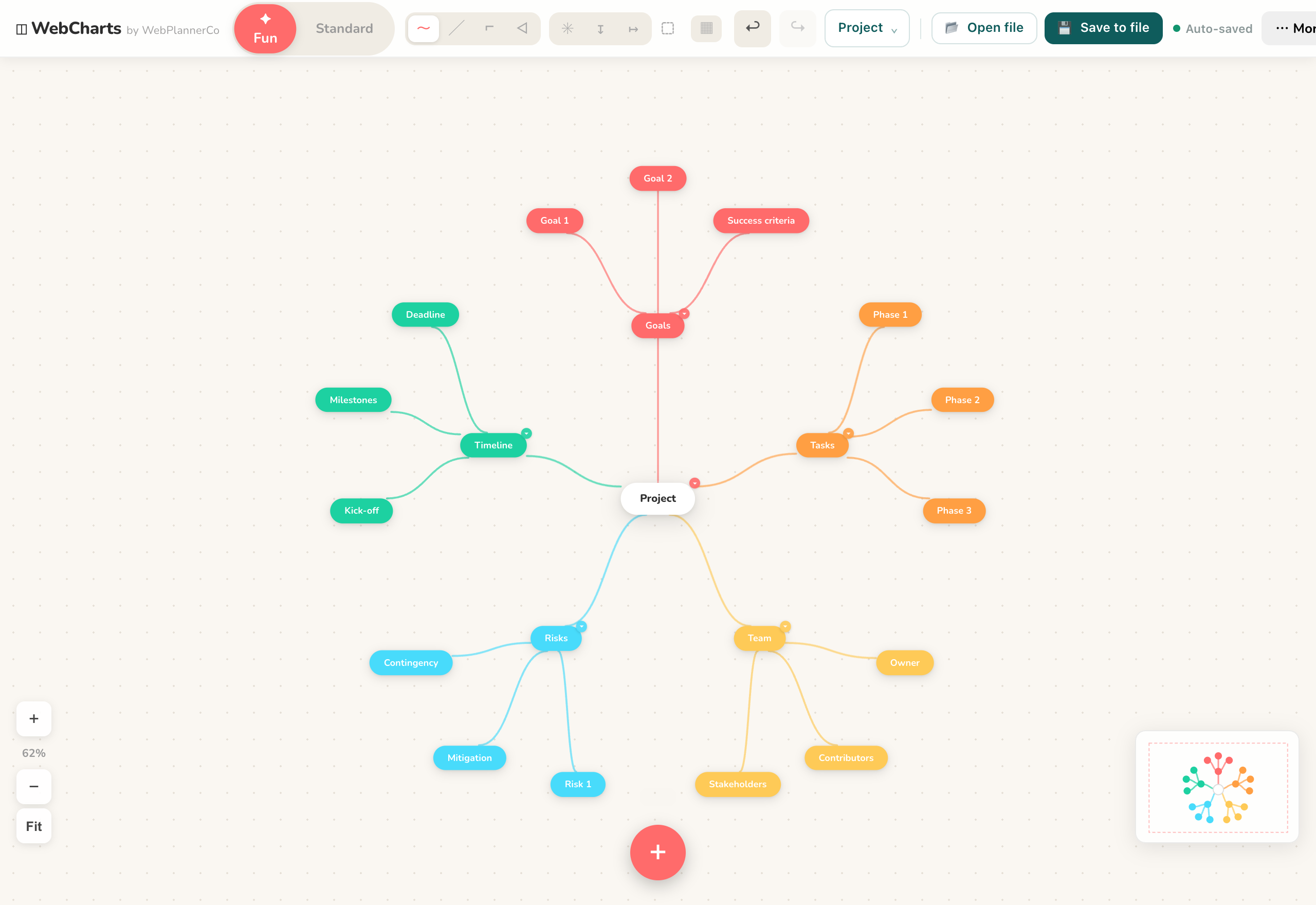
Mind map: one idea, branches out
A mind map puts a single idea in the middle and lets related thoughts radiate out as branches. There is no fixed order and no start or end. You add a branch wherever a thought lands, then keep splitting into smaller branches as detail arrives.
Use this when you are exploring or organising thinking that has not settled yet: planning a project, breaking down a topic, or emptying your head before you sort it. If you do not yet know the structure, a mind map lets the structure appear as you go.
Flowchart: steps and decisions in order
A flowchart shows a process. Steps connect in sequence, and where the path can split, a decision point sends you one way or another. Read it start to finish and you see exactly what happens, in what order, and where it branches.
Use this when there is a definite order and real choices along the way: an onboarding process, a returns policy, an approval path, or troubleshooting. If someone should be able to follow it and get to the right end, you want a flowchart.
Org chart: a top-down hierarchy
An org chart is a hierarchy read from the top down. One box sits at the top, the boxes it governs sit below, and so on. The lines mean reports to or belongs under, not happens next.
Use this when you are showing who or what sits above what: a team structure, a reporting line, or any nested breakdown of parts. If the question is where does this fit in the order of things, an org chart answers it.
Same family, different jobs
All three are boxes joined by lines, which is why they get mixed up. The difference is what a line means. In a mind map a line means relates to, in a flowchart it means then, and in an org chart it means sits under. Pick the one whose line matches your task and the diagram almost draws itself.
Mind Maps & Diagrams handles all three, and you can start from a template built for the job: Brainstorm for a mind map, Flowchart for a process, and SWOT or Timeline when those fit better. Double-click the canvas to drop a shape, then drag from its edge to connect the next, so switching between the three is just a matter of how you join them up.
The app that helps
Mind Maps & Diagrams
Everything you need to map out your ideas, diagrams, flowcharts, org charts and mind maps, in your browser.
- Start from a template matched to the job: Brainstorm for a mind map, Flowchart for a process, SWOT or Timeline for those.
- Build any of the three by double-clicking the canvas to add a shape and dragging from its edge to connect the next.
- Colour-code branches and nodes, then export the finished diagram as an image to share.
Common questions
Can I use one diagram for everything?
You can, but you will fight the shape. A process forced into a mind map loses its order, and a hierarchy drawn as a flowchart implies steps that are not there. Pick the type whose lines match what you mean, and the diagram stays readable.
What if I start with the wrong type?
That is fine, and common while thinking is still loose. Open the template that fits, then rebuild by adding shapes and connecting them the way the new type needs. Many people begin with a mind map to explore, then move the settled parts into a flowchart or org chart.
A quick note
This is simply how we like to work, shared in case it helps. Take what's useful and leave the rest.