Template for Wedding Planner
Wedding day timeline template
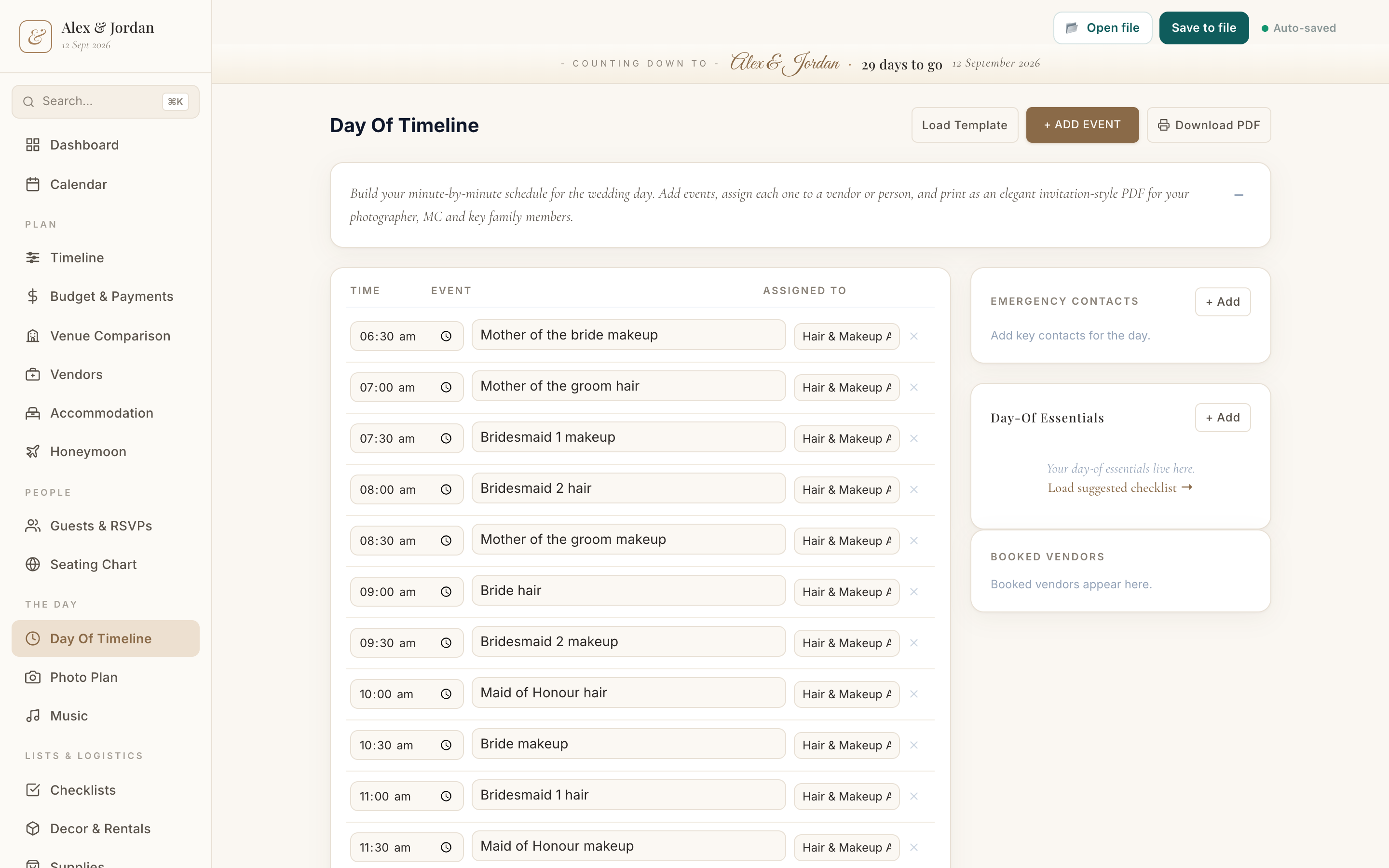
A wedding day timeline template gives you a realistic order of the day to start from, rather than a blank schedule. Load the default run sheet in Wedding Planner, then adjust the times and events to fit your day and assign each moment to a person or vendor.
What it is
A minute-by-minute schedule of the wedding day, from getting ready to send-off, with a time, an event and who is responsible for each line.
When to use it
- In the last month, once the shape of the day is set
- Briefing your photographer, MC and suppliers
- Making sure there is a buffer built into the day
How to fill it in
- 1Load the default timeline to get a realistic starting order.
- 2Adjust the times and events to match your day.
- 3Assign each moment to a person or vendor.
- 4Add your key contacts, then share or print it for the day.
Make one
Wedding day timeline template in Wedding Planner
Wedding Planner comes with this ready to fill in, plus everything else you need to plan. Works in your browser or offline, with nothing to install.
Common questions
What should a wedding day timeline include?
Getting ready, travel, the ceremony, photos, the reception and the send-off, each with a time and who is responsible. Build in buffers so a late moment does not cascade.
Who needs the run sheet?
Your photographer, MC or celebrant, key suppliers and the wedding party. It keeps the day moving without you fielding questions.