Template for Mind Maps & Diagrams
Org chart template
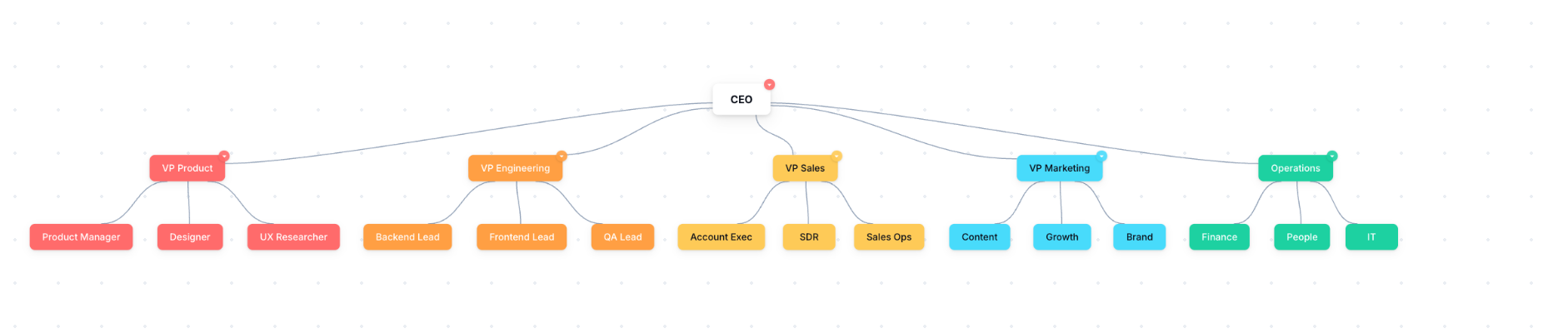
An org chart template gives you a top-down hierarchy to fill in: a lead role at the top, with teams and people branching beneath. Relabel the boxes with your own roles and reporting lines.
What it is
A tree that shows who reports to whom, from the top role down through teams and individuals. Each box is a role or person, each line a reporting relationship.
When to use it
- Showing a team or company structure at a glance
- Planning a reorganisation or a new team
- Onboarding someone so they know who does what
How to fill it in
- 1Put the top role at the top of the tree.
- 2Add a box for each direct report beneath it.
- 3Branch further for their teams and people.
- 4Label each box with the role, and a name where it helps, then export to share.
Make one
Org chart template in Mind Maps & Diagrams
Mind Maps & Diagrams comes with this ready to fill in, plus everything else you need to plan. Works in your browser or offline, with nothing to install.
Common questions
What is an org chart used for?
To show a team or organisation's structure: who reports to whom, and how teams fit together. It helps with planning, onboarding and communication.
Org chart or mind map?
An org chart shows a fixed top-down hierarchy. A mind map radiates from one central idea and is for exploring, not for reporting lines.