Productivity · 4 min read
How do you make a mind map that actually helps?
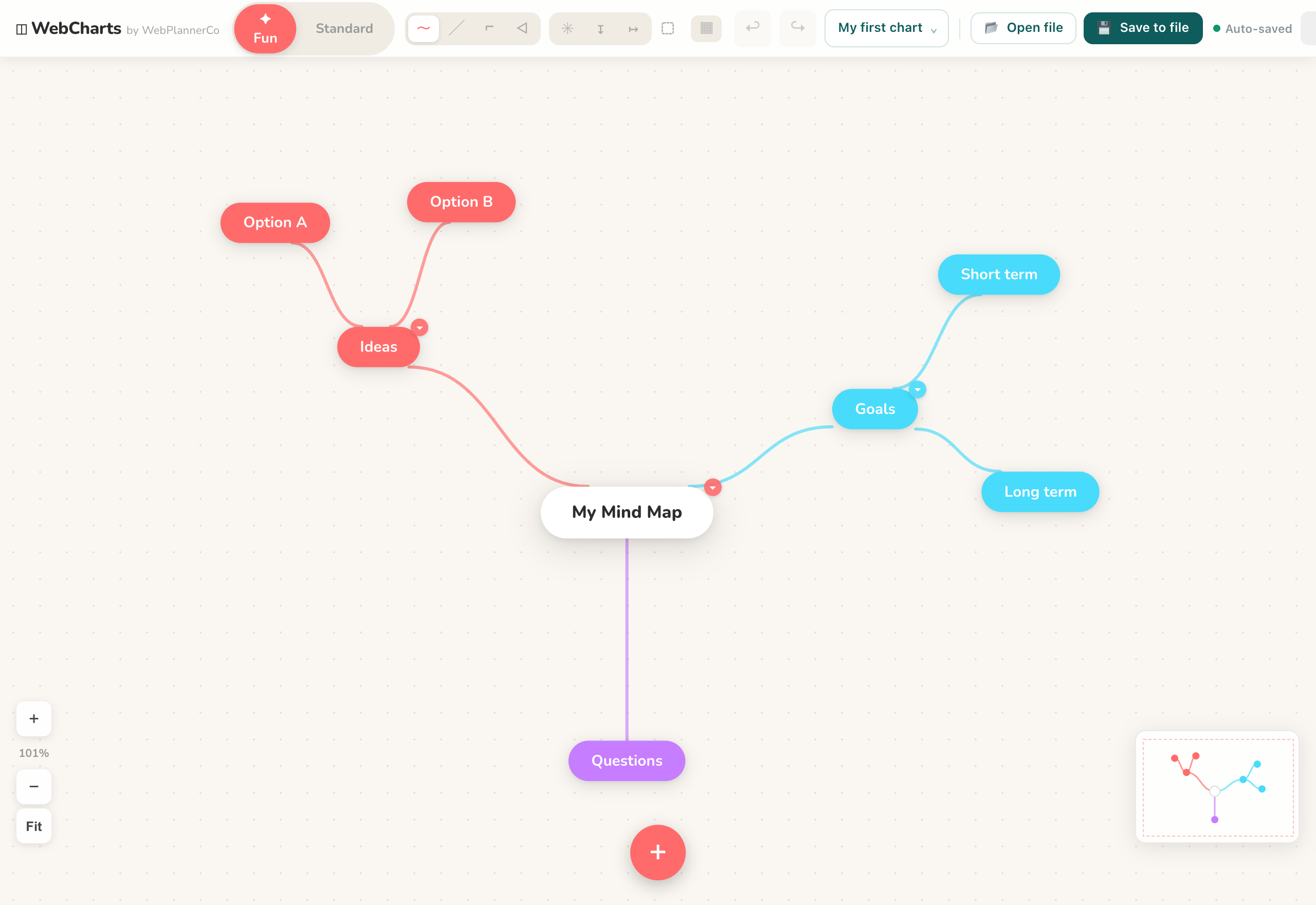
We're both the kind of people who reach for a pen and a blank page the moment anything gets complicated. That's really all a mind map is: your main idea in the middle, branching out into everything connected to it. It mirrors how your head actually works, which is why it's so good for untangling a messy problem.

How we make one
Pop the central topic in the middle and start from there. Add a branch for each big theme, then smaller branches off those for the detail. Keep every node to a word or a short phrase; the moment you catch yourself writing sentences, it's stopped being a map.
Then we colour-code the branches so related ideas cluster visually, and draw connections between anything that relates across branches. The goal is something you can take in at a glance, not another wall of text.
Mind map, flowchart or org chart?
People mix these three up all the time, so here's the quick version. A mind map radiates out from one idea; it's for exploring and organising your thinking. A flowchart shows a process: steps and decisions connected in order. An org chart shows a hierarchy, from the top down. Same family, different jobs, and knowing which one you actually need saves a lot of faffing about.
A couple of things we've learned
One idea per node. Lean on colour. And resist the urge to cram everything in, white space is what keeps a map readable. If a branch gets crowded, that's usually a sign it deserves a map of its own.
Paper is perfect for a first pass. Once a map starts growing and you're rearranging branches, that's where doing it on screen earns its keep: branches reflow as you move them, colour-coding is a click, and you can drop in an image or export the whole thing when it's done.
The app that helps
Mind Maps & Diagrams
Everything you need to map out your ideas, diagrams, flowcharts, org charts and mind maps, in your browser.
- Double-click to drop a shape, drag from its edge to connect the next
- Colour-code branches and drop images onto any node
- Export the finished map as an image for docs, slides or email
A quick note
This is simply how we like to work, shared in case it helps. Take what's useful and leave the rest.